

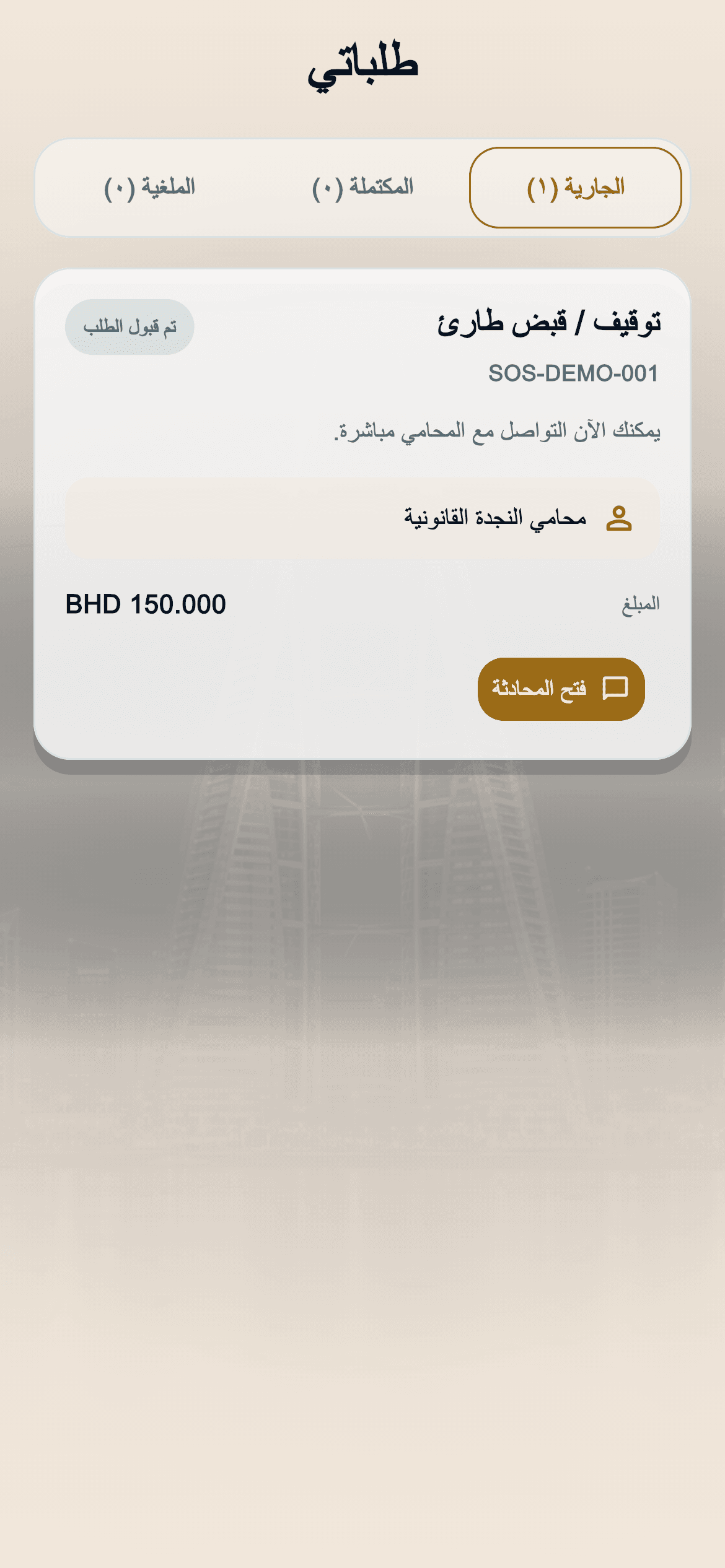
Your requests in one place
Send a quick SOS request to reach suitable legal support in your country.
Select the case closest to your situation to continue directly to request details.
Choose your location above to see emergency cases.
Track legal requests in the mobile app or the web client portal.
Your requests in one place


Choose your lawyer


Request accepted and lawyer follow-up


From quick consultations to documents and request tracking.
Choose available lawyers by language, rating and travel time.
A short form and a reference number for every request.
We do not store precise location when detecting your country.
From your first request to contacting your lawyer, step by step.
Select the country, press SOS and choose the legal case type.
Choose whether the request is for you or someone else, then enter contact and case details.
Confirm the service location on the map before choosing a lawyer.
Choose from the five nearest available lawyers around your confirmed service location.
Review the case, contact details, lawyer and service location, then complete payment.
Once payment is confirmed, the lawyer receives the request. If not accepted within 5 minutes, choose from the nearest 5 available alternatives.
Follow your request status and your lawyer’s arrival estimate when a location update is available. After acceptance, chat or call within the service, then rate your experience once it is completed.
Start on the website or in the app.